I've been interested in 3D printing for a while now. I'm a software engineer, so the idea of designing something on a computer and then holding it in my hands is really exciting to me.
But there's one thing I've always struggled with: 3D modelling.
I've tried learning Fusion 360 a few times. I can do some basic things, but to design my own models properly, I'd need to spend much more time practising. And somehow I never find that time.
So when I came across Kimi K3.1 Pro from Moonshot AI and its ability to help create 3D models, I thought I'd give it a try. I wasn't interested in just generating a model to look at. I wanted something I could actually print and use.
I also happened to be looking for a new toy for my cockatiels, so why not combine the two?
I started chatting with Kimi about the idea. At first I didn't really know what the toy should look like. I just knew I wanted something the birds could play with, but also something I could interact with from outside the cage.
After a bit of back and forth, we settled on a spinning toy that could attach to the cage. I'd be able to spin it from the outside while the birds interacted with it from the inside.
I explained the requirements, and Kimi started working on the design.
It took quite a long time, to be honest. But I was really impressed with what it came back with.
It didn't just generate a 3MF file for printing. It also created a GLB file and a small web app where I could see the 3D model, rotate it, check how the spinning motion would work, and follow assembly instructions.
I didn't expect that part at all. It was nice being able to see how the toy would behave before printing anything.
I liked the design, so the next step was to try printing it with my Bambu Lab printer.
I opened the 3MF in Bambu Studio and immediately got a warning about an invalid configuration. It could load the geometry, but then treated the parts as one multi-part object instead of separate pieces.
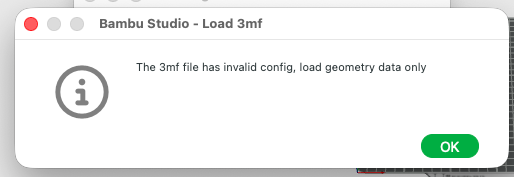
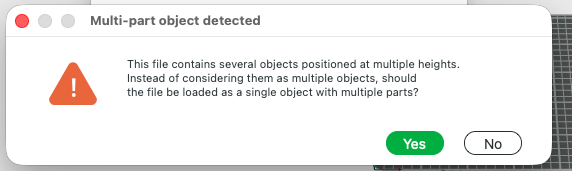
I wanted the parts separated so I could print them individually, ideally in different colours.
Instead of fixing the file myself, I thought this was another good opportunity to test Kimi. I found an open-source project called bambu-studio-ai, an AI agent skill that helps agents work with Bambu Studio and 3D-printing workflows.
I shared the skill with Kimi and asked it to follow the relevant instructions, regenerate the 3MF and make sure the parts were separate.
And it worked!
This time Bambu Studio loaded everything the way I wanted. I split the parts across three build plates because I usually print each plate in a different colour.
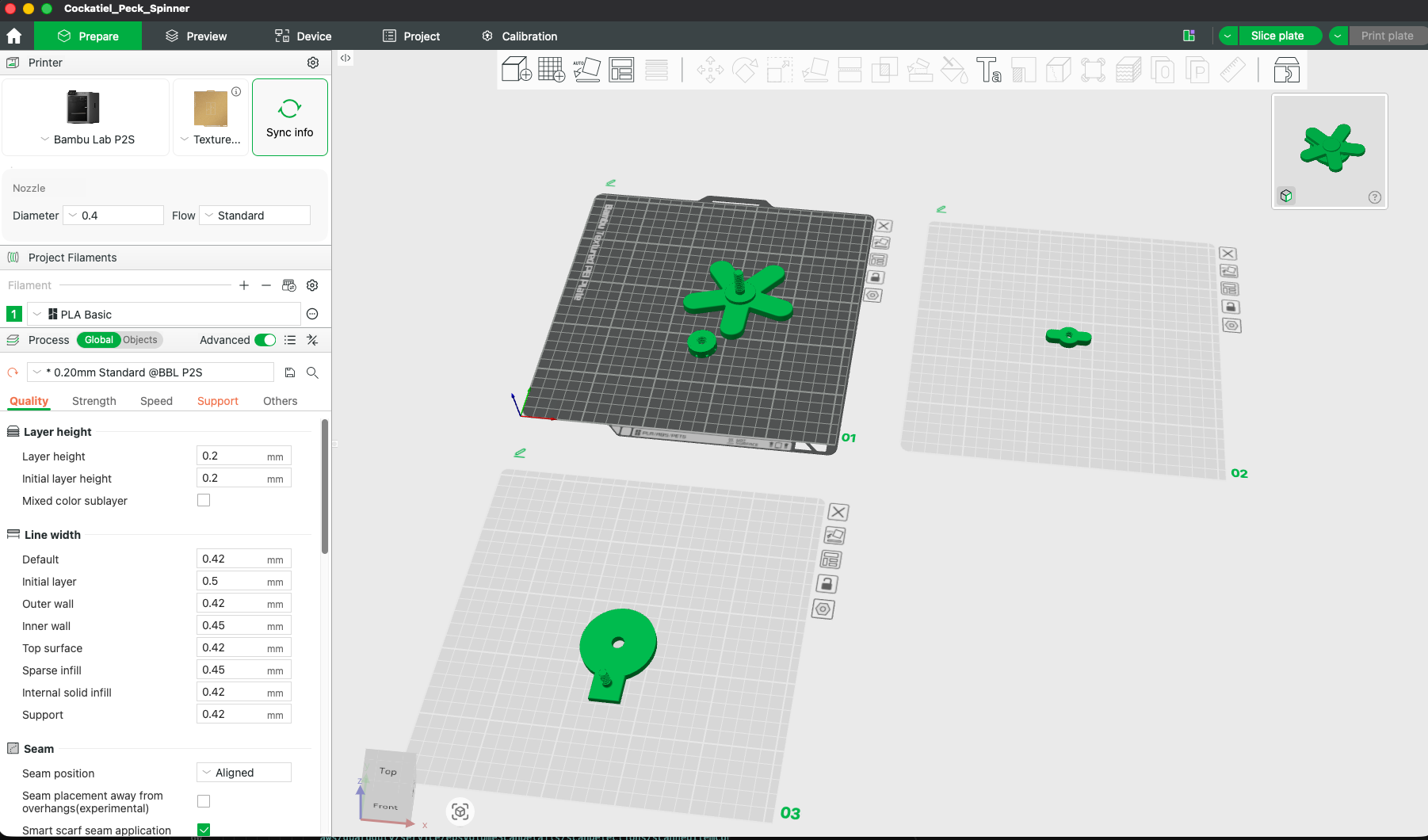
This part reminded me a lot of working with AI coding agents. Sometimes a model doesn't know enough about a particular tool or environment. Giving it a good skill or more specific instructions can make a huge difference.
Anyway, I printed the pieces in yellow, red and white.
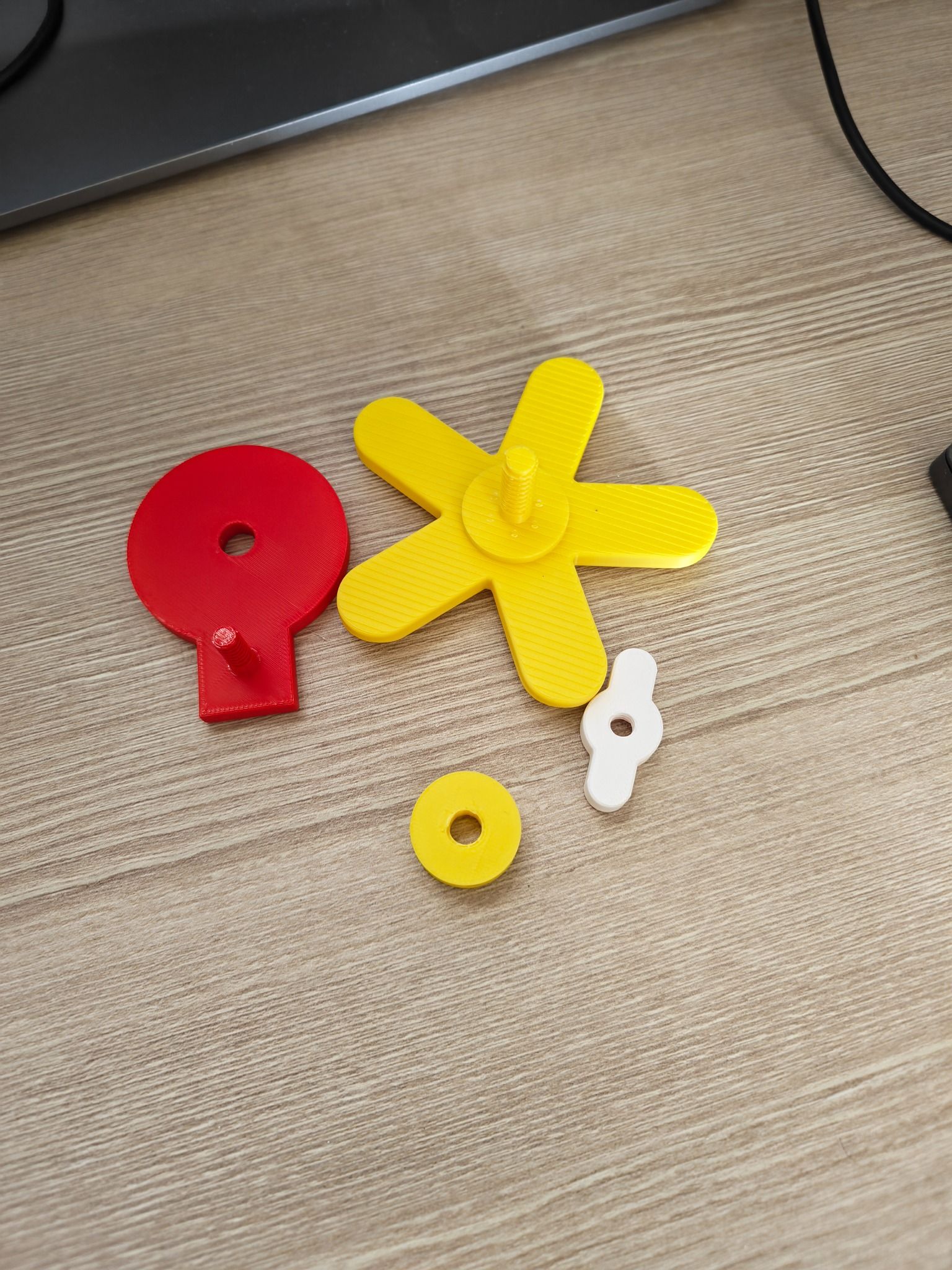
The surface wasn't completely smooth, and you can see some of the print lines. That's something I can improve later with different printing settings or some changes to the model. But I was really happy with how the parts came out.
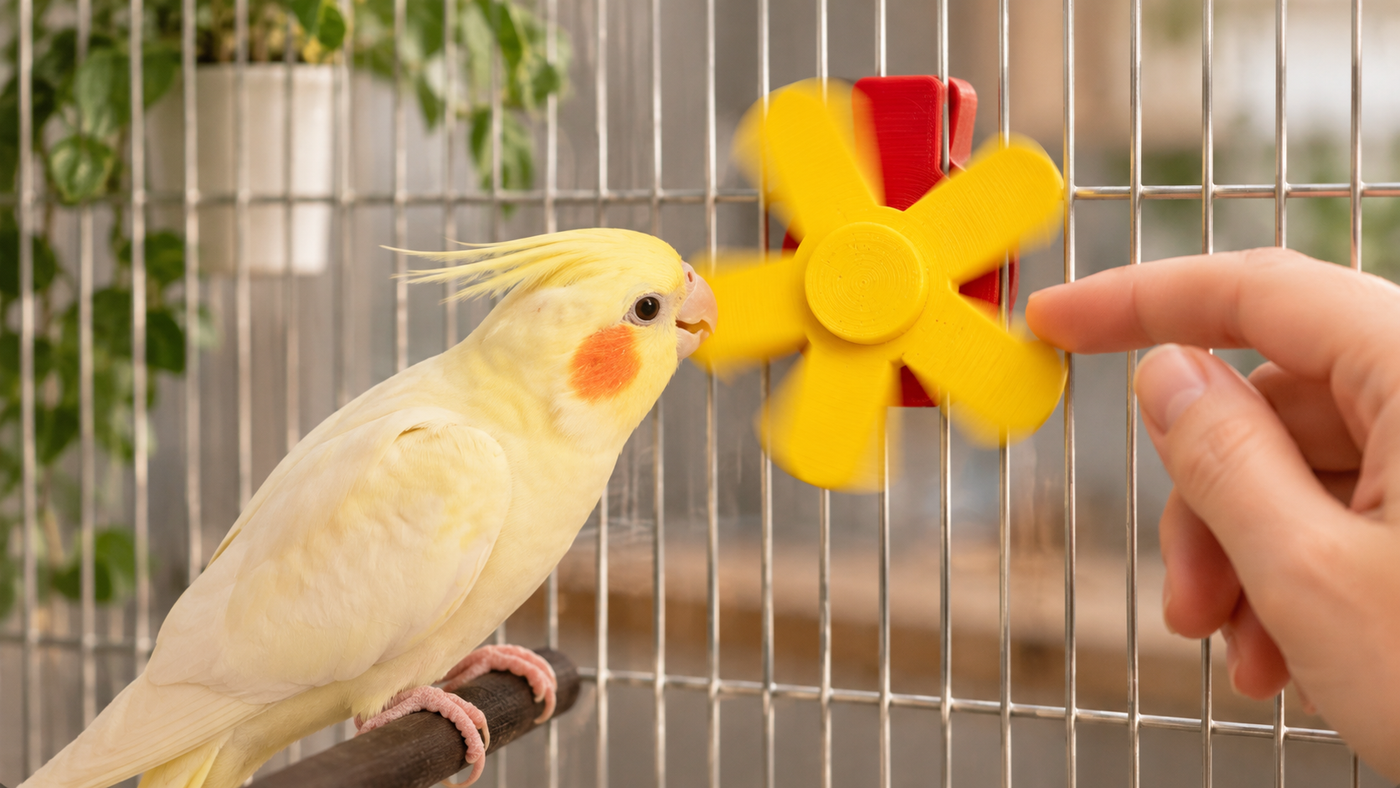
I assembled everything and installed the toy in the cage.
Now, if you have cockatiels, you probably know how they react to new things. Mine were a bit scared at first. Even a small new object can make them suspicious.
I gave them some time to get used to it, and eventually they started getting curious. Then they actually started interacting with it!
That was probably the best part of the whole experiment.
I was genuinely happy with the result. I started with a simple idea, had a conversation with an AI model, got a design and an interactive preview, worked through a small printing issue, and ended up with a real toy that my birds were playing with.
I still want to learn Fusion 360. I don't think AI replaces the value of understanding how to design things properly, especially when you're dealing with moving parts and real-world objects. And of course, anything that goes into a bird cage needs to be checked carefully for materials, sharp edges, loose parts and other risks.
But this experiment made me excited about what's possible for people like me who have lots of ideas but not always the time to learn every tool needed to build them.
What impressed me wasn't just that Kimi could generate a 3D model. It helped me go all the way from an idea to something physical.
And seeing my cockatiels actually play with it made the whole thing even better.
Tools used: Kimi K3.1 Pro, Bambu Studio, Bambu Lab printer and bambu-studio-ai.