
Drush is very important tool for drupal Developers, Its managed from Shell so a lot of people failed in getting it work at shared hosts like godaddy, I will explain briefly how to install Drush on godaddy shared hosting plane. 1- Open your Linux Terminal and create SSH Connection to you account
ssh [email protected]and Enter your password. 2- Go to your main directory
cd ~/3- Download the last version of drush to your Host space. (4.5 in this case)
-bash-3.2$ wget http://ftp.drupal.org/files/projects/drush-7.x-4.5.tar.gz4- Extract the Drush compressed file .
-bash-3.2$ tar -zxvf drush-7.x-4.5.tar.gz5- Make sure that your drush directory can be accessed by this command
-bash-3.2$ cd ~/drush6- Make sure that you are at Home directory
-bash-3.2$ cd ~/7- Create .bash_profile if not Exist and add the following lines inside it
export DRUSH_PHP="/usr/local/php5/bin/php"
export COLUMNS
alias drush="/usr/local/php5/bin/php ~/drush/drush.php"
alias php="/usr/local/php5/bin/php"
if you want to use PHP 5.3 add the following lines instead
export DRUSH_PHP="/usr/local/php5_3/bin/php5_3"
export COLUMNS
alias drush="/usr/local/php5_3/bin/php5_3 ~/drush/drush.php"
alias php="/usr/local/php5_3/bin/php5_3"
How to Create .bash_profile file
vi .bash_profile- press i to convert your mode to be insert mode
- past the previous code
- press Esc to exit Insert mode.
- press sheft+:
- insert wq then press Enter
Now we have created .bash_profile file . 8- use the .bash_profile file .
-bash-3.2$ source .bash_profileThats all lets test our Drush by Implementing drush command
-bash-3.2$ drush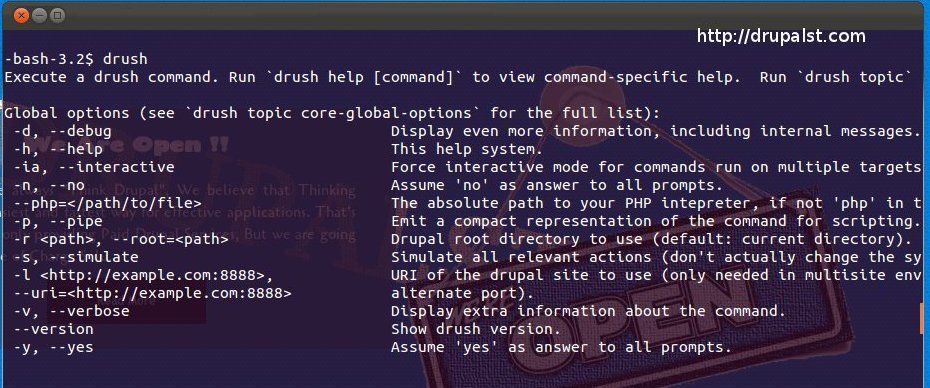
if there is any problem please write it in a comment.