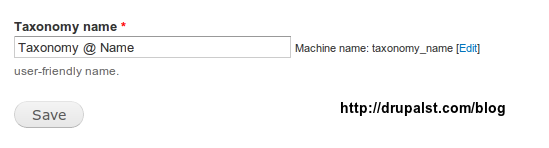
In this tutorial we will use Drupal 7 Form Api to create Machine name Field which is not well Documented in drupal.org . To create Machine name field we need another Field which is the Parent/Source field, Source field contain the Human Readable Text that will be converted Automatically by Using "misc/machine-name.js" to machine Friendly name. End users Usually working Directly with Source Field. Lets Create Form like what we get when we Add vocabulary from Structure > taxonomy > Add vocabulary.
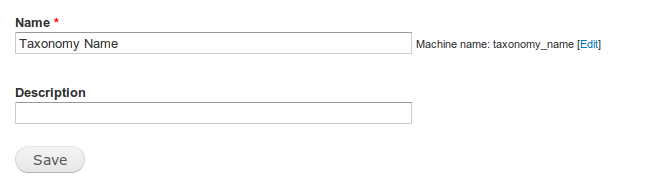
Example
function _drupalst_com_machine_name_form($form, &$form_state){

$form['taxonomy-name'] = array( // The Source Field which the End user will write the user friendly text.
  '#type' => 'textfield',
  '#title' => t("Taxonomy name"),
  '#required' => TRUE,
  '#description' => t("user-friendly name."),
  '#size' => 40,
  '#maxlength' => 127,
  '#default_value' => "",
);

$form['machine-name'] = array( // The machine name Field which will take the value from Source field and convert it to machine friendly name.
  '#type' => 'machine_name',
  '#title' => t("Machine Name"),
  '#required' => TRUE,
  '#description' => t("machine-friendly name."),
  '#size' => 15,
  '#maxlength' => 15,
  '#default_value' => "",
  '#machine_name' => array(
    'exists' => '_drupalst_com_check_machine_name_if_exist',  // function that return 1 if the machine name is duplicated .
    'source' => array('taxonomy-name'), 	// the name of the source field that we will Take the User Friendly name from and convert it to Machine Friedly name
  ),
);

$form['submit'] = array(
  '#type' => 'submit' ,
  '#value' => t('Save') ,
);
return $form ;
}
Here we go.